

InspectX uses Microsoft Sequel Server 2014 (or 2016) Express which has the following requirements:
Operating Systems
Windows 11, Windows 10, Windows 7, Windows 7 Service Pack 1, Windows 8, Windows 8.1, Windows Server 2008 R2, Windows Server 2008 R2 SP1, Windows Server 2012, Windows Server 2012 R2
Processor
Intel – compatible processor with a minimum speed of 1 GHz or a faster processor
RAM
Minimum 512 MB for SQL Server Express with Tools, and SQL Server Express with Advanced Services and 4 GB for Reporting Services that installs with SQL Server Express with Advanced Services
Hard Disk Space
4.2 GB of Disk Space
Once installed and running on your Windows computer, InspectX can be accessed and operated from any other device (Android/IOS/Mac/Desktop) as long as it is connected to the same network. See Networking for more info.
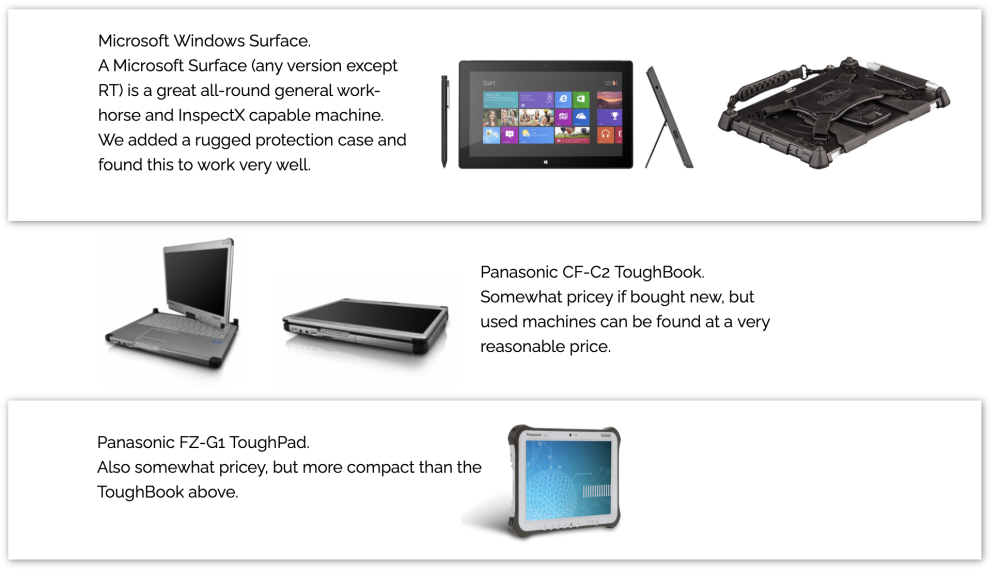
InspectX can work on a Mac running virtual Windows, but since the software is aimed toward eventually completing the report in the field I would recommend starting out with a computer that is capable of that end-goal.
We have had the most success with the Panasonic ToughBook CF-C2 which you can be found refurbished on eBay or amazon for $300 – $500.
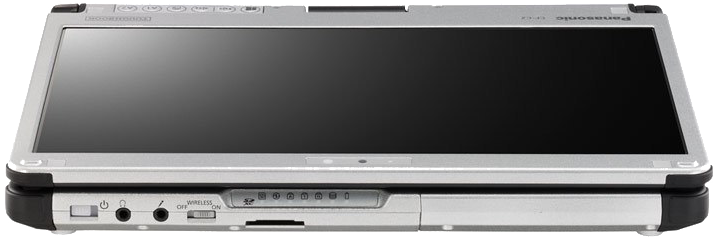
They may look a little dated but this is still a recent model with all the capability of a modern computer and the added benefits of being semi-rugged, having a built-in hand-strap for working and typing on the screen, long-lasting hot-swappable battery, sunlight readable screen, etc. Take a look on eBay or Amazon and see if this interests you. I typically search for “Panasonic CF-C2 SSD” because my other preference is a solid-state hard drive with no spinning components when working in the field. The only other thing I would recommend is one that already has Windows 10. Our software will run on older versions of Windows of course, but the on-screen keyboard in Windows 10 is far superior to that of earlier versions.
When selecting a computer I recommend paying close attention to machines with long battery life (preferably hot-swappable). For screen size I would recommend 10” or greater. While you can use any sized screen, we found anything smaller than 10” to be somewhat of a strain for long periods of time. InspectX will run on older versions on Windows but we recommend running Windows 8 or newer since the newer Windows on-screen keyboard is a vast improvement over previous versions.
Feedback

Post your comment on this topic.